





















Plants vs Brainrots
Welcome to Plants vs Brainrots, the hilarious and chaotic tower-defense-style game that’s taking the gaming community by storm!
What Is Plants vs Brainrots?
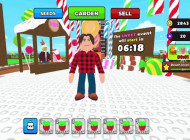
Plants vs Brainrots is a comedic defense simulator that mixes idle farming, strategy, and all-out battle chaos. You start with a simple goal: plant seeds, grow powerful plants, and defend your base from invading Brainrots strange, meme-like creatures that just keep coming.
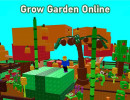
Every time your plants defeat a Brainrot, you earn in-game money. The stronger your garden, the faster your income grows. Before long, your humble patch of soil turns into a money-making battlefield full of color, chaos, and hilarious action. It’s a perfect blend of clicker progression and tower defense, wrapped up in vibrant, voxel-style graphics.
How to Play Plants vs Brainrots
The game’s loop is simple but addictive. Here’s how it works:
- Buy a Seed: Start small. Purchase your first seed from the shop.
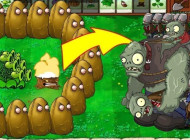
- Plant It: Place your plant in your garden — it will automatically begin attacking incoming Brainrots.
- Defend & Earn: Each defeated Brainrot drops cash. Collect it and reinvest in stronger plants.
- Upgrade & Expand: Unlock new seeds, enhance your defenses, and build the ultimate anti-Brainrot garden.
Pro Tip: Focus on variety! Different plants deal different types of damage, so mixing your lineup is key to surviving higher levels.
Game Controls Guide
- W / A / S / D – Move around your garden
- Mouse Left-Click – Interact, plant, or select objects
- E – Open the shop to buy new seeds and upgrades
- Q – Access your garden management menu
- R – Rebirth (once unlocked)
- B – Sell or manage your plants
Game Features That Make It Addictive
- Auto-Battling Plants: Your plants do the fighting, so you can focus on strategy and upgrades.
- Endless Growth: The more you play, the faster you earn — upgrade plants to increase your cash flow.
- Unique Enemies: Every Brainrot has its own attack style, so you’ll never fight the same way twice.
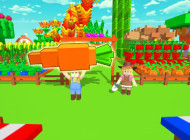
- Vibrant 3D Graphics: The colorful, blocky art style gives the game a lighthearted and meme-filled feel.
- Rebirth System: Once you’ve maxed out your garden, you can rebirth for permanent boosts and even rarer plants.
It’s a perfect mix of humor and progression — one moment you’re giggling at the weird enemy names, and the next, you’re desperately rebuilding your garden defenses.
Why You Love Plants vs Brainrots
There’s something strangely satisfying about watching your plants destroy wave after wave of Brainrots while your in-game wallet fills up. The balance of idle play and active management makes it easy to jump into — whether you’re grinding for upgrades or just relaxing while your plants handle business.
It’s funny, it’s fast, and it’s full of personality. Fans love customizing their gardens, experimenting with different plants, and flexing their high-level setups with friends.
Tips for New Gardeners
- Start small, grow smart. Don’t waste money on too many weak plants — upgrade the ones you already have.
- Keep an eye on your income. The Brainrots generate cash, but reinvesting quickly keeps your growth snowballing.
- Experiment with combos. Some plants perform better together — find the lineup that melts Brainrots the fastest.
- Join the community. Follow the developers and join the official group to get updates, freebies, and special events.
Plants vs Brainrots might look silly at first, but that’s part of its charm. Beneath the goofy enemies and bright colors lies a genuinely fun and strategic idle defense game that rewards smart play and persistence. Start growing your garden of chaos in Plants vs Brainrots now.
Game Controls Guide
- W / A / S / D – Move around your garden
- Mouse Left-Click – Interact, plant, or select objects
- E – Open the shop to buy new seeds and upgrades
- Q – Access your garden management menu
- R – Rebirth (once unlocked)
- B – Sell or manage your plants